Guides · Deposits and withdrawals · Updated
CellMoni deposits: get them credited first time
CellMoni is the fastest way most PNG players top up: no bank queue, no transfer note, and the sites label it "2 to 5 minutes". When a CellMoni deposit does not show, it is nearly always one of six small things. Here is the clean way to do it, and the fix for each.


 By the Kina Gaming team · 3 min read
How a CellMoni deposit works
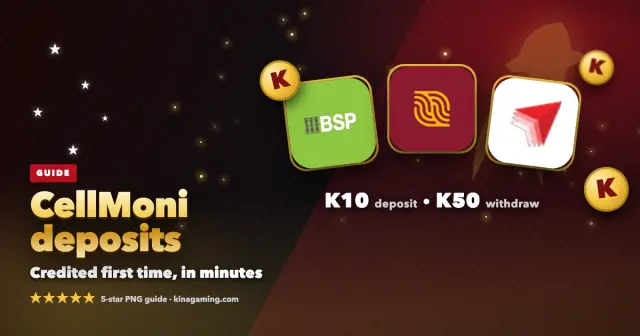
- Choose CellMoni on the deposit page and enter the amount, from K10. The page shows the CellMoni number to pay.
- Pay that number from your CellMoni menu for the amount you entered. CellMoni deposits need no transfer note and no special cents; the amount and the reference do the matching.
- Keep the confirmation SMS. It contains a reference, shown as "Ref#" followed by a number.
- Back on the site, enter that Ref# and attach a screenshot of the SMS or the CellMoni receipt (JPG, PNG, WEBP or PDF, up to 5 MB), then confirm.
The sites say most deposits are approved within about a minute, and CellMoni is usually the quickest to match. Each brand's own page: Winim777, WinKina CellMoni guide, BigKina.
The six mistakes, and the fix
- The reference is wrong. The site needs the Ref# from CellMoni's SMS, not the number you paid, not the amount and not the ticket number. The page now refuses those, so if it says "that is not a reference", open the SMS and copy the Ref#.
- The SMS was deleted. The Ref# is in it, so keep it until the deposit shows. If it is gone, your CellMoni transaction history has the same reference.
- You paid an old number. Pay the number shown on the deposit page at that moment, every time. Never a number someone sent you on Facebook, WhatsApp or SMS, and never a saved contact from last month.
- Not enough in the wallet. CellMoni can show "sent" for a smaller amount if the balance was short. Check the SMS amount matches what you entered on the site.
- The page was closed before confirming. Paying is half the job; the Ref# and screenshot complete it. Open the deposit page or TRANSACTIONS and finish the ticket.
- Weak signal. If the CellMoni menu times out, wait for signal and check your CellMoni history before paying again. One payment per deposit.
Still not showing?
Give it the ten minutes the pending message asks for, then open live chat (the CHAT button on the site, open 24 hours) on the site you paid and send three things: the ticket number from TRANSACTIONS, the Ref# from the SMS, and the screenshot showing the amount and time. With those, support finds it fast. Do not send the money again while you wait.
Your CellMoni PIN is yours alone. No site, agent or support person ever needs it. Anyone asking for it is not from Winim777, WinKina or BigKina.
Cashing out to CellMoni
Withdrawals go to your own CellMoni number, entered as the 8 digits without the 675, from K50, and the name on the wallet must match your registered name. Before you request, close any game you were playing so the full balance is back in your main wallet. More in withdrawal pending or rejected and pay with Kina.
Frequently asked questions
Does a CellMoni deposit need a transfer note or exact cents?
No. Those apply to bank transfers. A CellMoni deposit is matched by the amount and the Ref# from the CellMoni SMS, which you enter on the site after paying.
Where is the Ref#?
In the CellMoni confirmation SMS, after "Ref#". Your CellMoni transaction history shows the same number if the SMS is gone.
How much can I deposit with CellMoni?
From K10 on all three sites. WinKina lists up to K10,000 per deposit; the limit for each method is shown on the deposit page.